Check out our iPad article in Smashing Magazine
Today Smashing Magazine published our article, Ten Things To Think About When Designing Your iPad App. Mosey on over to Smashing to check it out — we’re pretty proud.
I recently had a discussion with Mike McCue, the CEO of Flipboard, on how he and his team managed to get things so right with the Flipboard design. In particular, I was interested in how they were able to balance functionality with delightful, polished, user experience features. Mike’s answer was very simple — they had to make some very tough choices and a lot of cuts. Their goal with Flipboard was to communicate to first time customers the potential of the product and have them yearning for more. Mike explained that when people used Flipboard for the first time, he wanted them to think, “Yes, I get it! And it would be even better if…” Consequently, they cut all but the most important functionality for their v1. For example, Flipboard was a news reader but didn’t have full RSS on first launch; it only supported some predetermined feeds. Also, it had a Twitter reader but didn’t let you post tweets. These types of painful functionality decisions allowed time to implement the polish to the interaction that Flipboard is known for – gorgeous visuals, subtle animations and a magical, contextual user experience. Flipbooard’s goal was that people would become so enchanted by the experience on first use, that they would be willing to wait for more complete functionality in v2.
This approach clearly paid off for Flipboard, but it’s a difficult one for many companies to embrace. We frequently have conversations with clients who try to cut user experience features and polish in order to put in more functionality. Many of our clients ask us why they can’t have a product that works like an iPhone. If you remember when iPhone first launched, it also had all the polish and a limited set of features that were far less than current market leaders like RIM or Palm. However, by capturing people’s imaginations with amazing user experience, they were able to buy some time to round out their feature set in subsequent releases.
The lesson? Creating a beautiful, compelling, polished user experience for v1 takes guts. You have to be ruthless with your feature set and treat the user experience features as equal to the core functionality when planning your roadmap. We’ve often seen companies who have great design ideas cut those ideas at the last minute to squeeze in one more feature so it’s not a lack of ideas that’s at play here. It’s a matter of priorities.
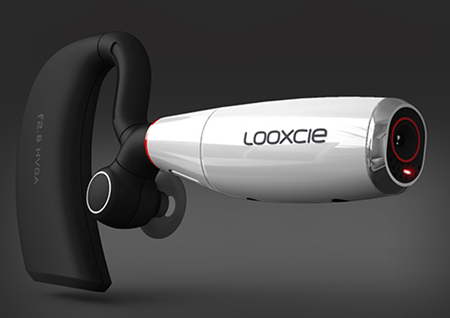
Looxcie has just launched their wearable camcorder and the associated mobile app that we designed! Looxcie is basically a camcorder that you wear on your ear which pairs with your smartphone so that you can use it as the viewfinder and to review, create, and share clips. If you see something interesting, you can hit the “instant clip” button on the headset which will save the last 30 seconds of video and package it into a video file which can be shared via Bluetooth to the companion mobile app.
The Android version of the mobile app is out today. Our designs for iPhone, all the various Blackberries, and Nokia are launching shortly. You can buy Looxcie on Amazon for $199.
What I LOVE about Looxcie is the instant clip feature I alluded to earlier. Nobody wants to spend hours looking through their video to identify when something interested happened. Instead, you can create 30 second clips from interesting moments when they happen with one touch and then if you want to, go back later to edit together longer segments, extend 30 second clips, etc… It’s the perfect tool for me as a mom and me as a user researcher trying to capture what a subject is saying but without a good way (before Looxcie) to mark the “good parts” in the midst of videoing. I think this is the killer app for video.
Looxcie is getting some great press in the few hours since the launch. Check out this article on Fast Company calling it the Tivo for Life or learn more about the product at www.looxcie.com.
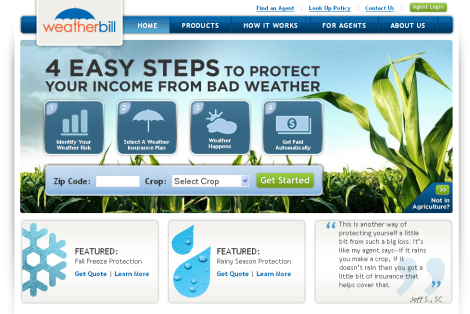
WeatherBill has just launched our new site design targeted at farmers and insurance agents. Following several rounds of rapid iterative design and Fast Insight user testing, we developed a user experience that educated customers about the unique process for purchasing WeatherBill’s insurance, provided insight into their current risk, and offered a simple yet powerful information architecture. Here’s what Greg Smirin, WeatherBill’s Vice President of Marketing and Product, had to say about our work:
“SlicedBread was a dream to work with. They’re smart, creative and took the time to understand what our users really wanted – and needed. The whole WeatherBill team can’t wait to work with them on the next project.”
Beautiful visual design:
To check out the site for yourself, visit www.weatherbill.com.
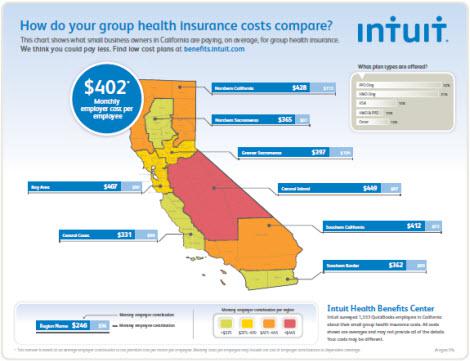
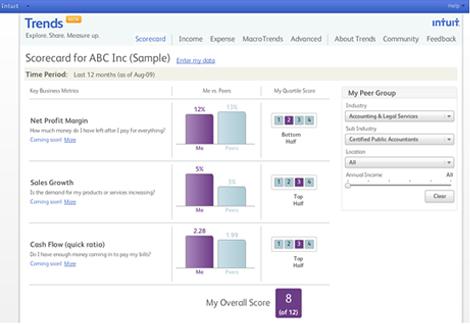
We’re excited to share that our redesign of the Intuit Trends application has just launched!

Intuit Trends is a free online application that lets small businesses compare how they are doing financially (such as income, expenses, profits, etc.) with other businesses that are similar to them.
We talked with small business owners to find out what they most wanted to understand about how their businesses compared to their peers/competitors, and then introduced some big improvements to the previous design. This release delivers the first preliminary round of changes, and there are many more to come.
Key features of our redesign effort included in this preliminary release are:

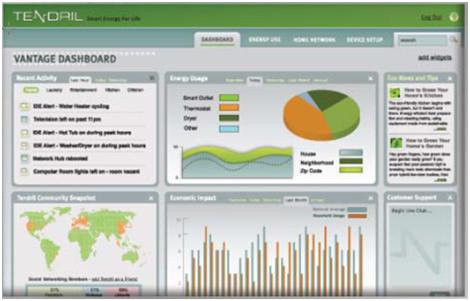
While consumer smart grid energy portals are an important area for user centered design, there is an often overlooked design challenge in helping utilities craft a demand response (DR) program that really works. For readers unfamiliar with the term, demand response is a program utilities are exploring which asks customers to reduce electricity use during peak times in exchange for financial incentives. Utilities have recently launched DR programs with the basic assumption that providing access to energy usage data and an economic incentive would motivate users to change their behavior. Turns out, encouraging behavior change is not so easy. With that challenge in mind, I decided to look at what’s been done in the past to motivate energy behavior change and see how learnings from past efforts can be applied to the design of demand response systems – from a consumer perspective.
Based on my literature review, the following are ten ideas to consider when crafting your demand response program to create an effective user experience:
1. Carefully craft and explain rate structures
Construct the rates and program carefully with consideration of more than the just the economics. A 2008 study of a time of use pricing pilot found that suggestions for behavior change were highly time sensitive to key family patterns such as mealtimes and did not work if they were disruptive to the household. To make sure you create a structure that is within the capabilities of your target audience, consider conducting a user study to understand how household behaviors align with specific time periods. Then you can craft a program with realistic expectations for consumption management and provide users with actionable advice that they can follow without changing their family patterns.
AT&T just announced in an investor’s conference that smart phone users are using too much of its network for data and that something is going to have to be done to curb their usage since their network isn’t able to handle it. All I can say is WAH-WAH-WAH.
Let me get this straight. AT&T has an issue that their network is slow, which clearly is not the fault of the network but is the fault of the users of the network. So, instead of upgrading their network or preparing for the introduction of more smart phones which are going to cripple their network further, they are going to do something punitive to get smart phone users to download less data. And is their plan to do this while still continuing to charge $40/month for data service? They could offer tiered pricing to people so that some can opt into a lower price plan for more limited data, but charging users who are already paying $40 for apparently subpar unlimited service doesn’t seem fair.
As you can tell, as a user advocate, I think this is absurd. Problems with your product are never the fault of the customer. They are your fault. And, most importantly, if you are AT&T and ACTIVELY PROMOTING all the awesome apps and great things you can do with the iPhone while then complaining that people are using them too much, you don’t have a leg to stand on.
This behavior is not acceptable for an organization with a lot of competitors (rumored to be losing its iPhone exclusivity soon) that sells a service. Your goal as a product manager, engineer, designer, CEO, etc… is to make your users happy and not think of ways to save money by pissing them off. It may save money in the short term, but if your business is selling a service, there should be a high level of service involved.
This is a new announcement from AT&T but I predict it is going to lose them customers in the long run. In the words of Stephen Colbert, AT&T you’re on notice.
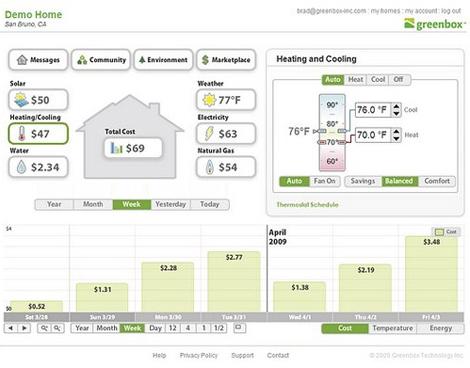
A recent SmartGridNews.com article praised Greenbox Technology for “deliver[ing] understanding to utility customers.” While Greenbox does provide useful functionality that differentiates it from its competitors, key improvements to its interaction design would go a long way to provide a better overall user experience.

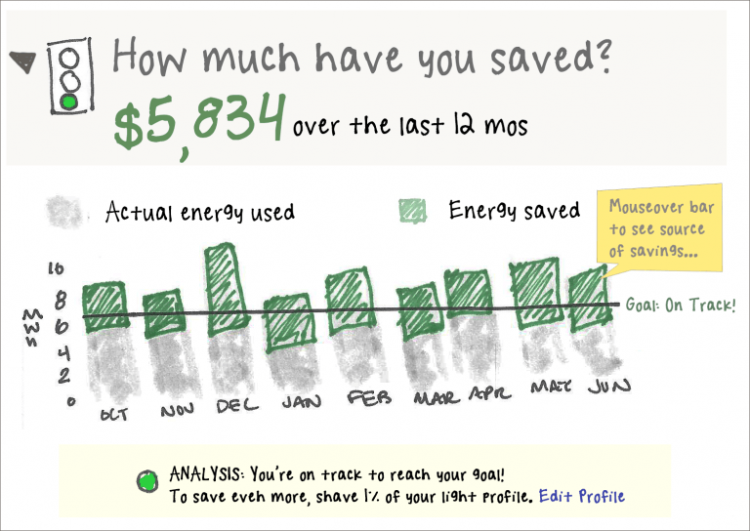
To be fair, Greenbox does deserve a gold star for displaying energy data specifically in dollars ($). As I mentioned in an earlier post, consumers don’t understand energy units, such as kWh, and are motivated to change their behavior by saving money.

But, what about the rest of the Greenbox design? Greenbox gets caught up in the same usability pitfalls I’ve seen in other consumer energy portals as well –too much information and not enough direct reference to the things that matter most to users. Here are my top three suggestions to help Greenbox, or any consumer energy portal, deliver an excellent user experience:
There's More...One of the greatest tools available to me as an interaction designer is the ability to see real metrics. I’m guessing that’s surprising to some people. After all, many people still think that design all happens before a product ever gets into the hands of users, so how could I possibly benefit from finding out what users are actually doing with my products?
Well, for one thing, I believe that design should continue for as long as a product is being used by or sold to customers. It’s an iterative process, and there’s nothing that gives me quicker, more accurate insight into how a new product version or feature is performing than looking at user metrics.
But there’s something that I, as a user advocate, care about quite a lot that is really very hard to measure accurately. I care about User Happiness. Now, I don’t necessarily care about it for some vague, good karma reason. I care because I think that happy users are retained users and, often, paying users. I believe that happy users tell their friends about my product and reduce my acquisition costs. I truly believe that happy users can earn money for my product.
So, how can I tell whether my users are happy? You know, without talking to every single one of them?
Although I think that happy users can equal more registrations, more revenue, and more retention, I don’t actually believe that this implies the opposite. In other words, there are all sorts of things I can do to retain customers or get more money out of them that don’t actually make them happy. Here are a few of the important business metrics you might be tempted to use as shorthand for customer happiness – but it’s not always the case:
An increase in retention numbers seems like a good indication that your customers are happy. After all, happier customers stay longer, right?
There's More...You spend months on a new feature for your existing product: researching it, designing and building it, launching it. Finally, it’s out in the world, and you sit back and wait for all those glowing comments to come in about how happy your users are that you’ve finally solved their biggest problems. Except, when the emails, forum posts, and adoption data actually come in, you realize that they hate it.
There is, sadly, no single reason why your new feature failed, but there are a number of possibilities. The failure of brand new products is its own complicated subject. To keep the scope narrow, I’m just going to concentrate on failed feature additions to current products with existing users.
Ah, the allure of the shiny new feature! It’s so much more exciting to work on the next big thing than to fix bugs or improve the user experience of a boring old existing feature.
While working with one company, I spoke with and read forum posts written by thousands of users. I also used the product extensively myself. One of the recurring themes of the complaints I heard was that the main product was extremely buggy and slow. The problem was, fixing the bugs and the lagging was really, really hard. It involved a significant investment in infrastructure change and a serious rewrite of some very tricky code.
Instead of buckling down and making the necessary improvements, management spent a long time trying to build new features on top of the old, buggy product. Unfortunately, the response to each new, exciting feature tended to be, “Your product still crashes my computer. Why didn’t you make it stop doing that instead of adding this worthless thing that I can’t use?”
Now, you obviously don’t need to fix every last bug in your existing offering before you move on and add something new. You do, however, need to be sensitive to the actual quality of your product and the current experience of your users before adding something new. You wouldn’t build a second story on a house with a shaky foundation. Don’t tack brand new features onto a product that has an unacceptably high crash rate, severe usability problems, or that runs too slowly for a significant percentage of your users.
Before you add a new feature to a product, ask yourself, “Have I fixed the major bugs, crashes, and UX issues that are currently preventing my users from taking advantage of core features?”
There's More...